
Remini AI vs YouCam Enhance All Features Comparison
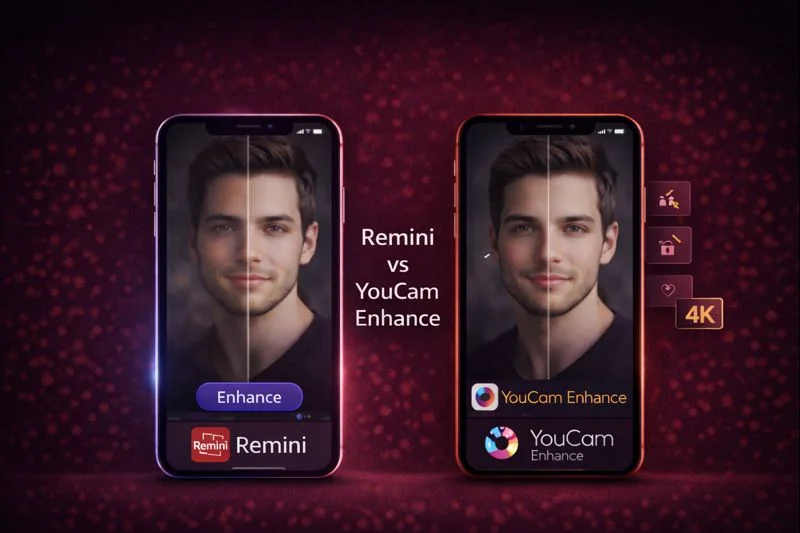
Choosing between Remini AI Photo Enhancer APK and YouCam Enhance is easier when you know what each one actually delivers.
Remini focuses on clear, sharp face restoration, fixing blur, and improving low-quality or old photos with almost no effort.
YouCam Enhance gives you a wider editing setup with 4K upscaling, lighting correction, background edits, and simple video repair. People who want fast clarity often go with Remini.
Professionals who like more variety and creative tools usually prefer YouCam Enhance. The comparison below explains how both work, how they differ, and which one suits daily use.
Read More: Remini AI vs Adobe Photoshop Express App Editing Features Comparison 2026
How Remini and YouCam Enhance Improve Your Photos?
Remini AI APK
Remini stays focused on one goal. It takes a blurry or low-resolution portrait and brings out skin texture, facial features, and natural details. The app rebuilds clarity in a way that looks smooth and lifelike, making it popular for selfies, family photos, and scanned memories.
YouCam Enhancer APP
YouCam Enhance takes a broader approach. It improves overall image quality along with brightness, colors, and background sharpness. It can extend an image, adjust lighting, correct tones, and upscale a photo to higher resolution.
Main Feature Comparison of Both Apps
| Feature | Remini | YouCam Enhance |
| Face detail recovery | Very strong | Steady but not portrait-focused |
| Upscaling | Yes | Yes with 4K support |
| Noise reduction | Automatic | Strong denoise with smoothing |
Remini is built for portrait clarity, so faces are sharper and more defined. YouCam Enhance spreads its improvement across the entire image which gives more balanced results in scenery, outfits, and backgrounds.
Editing Tools and Creative Options
YouCam Enhance also offers face swap and other generative features. These creative options help people working on social media posts, thumbnails, or creative portraits.
Workflow, Speed, and Ease
Remini is quick and clean. You choose a photo, press Enhance, and get a result instantly. People who want straightforward improvement usually feel at home with it.
YouCam Enhance takes slightly more time when doing background edits or 4K upscaling. But the app supports batch processing which helps when you have a set of similar photos.
Device Support and Availability
Both apps work on iPhone, iPad, Android, and the web. For desktop, users depend on the online editors. There are no full native Windows or Mac apps for either one.
Pricing and Free Plans
Remini offers a free version with limited clarity features. The premium version unlocks stronger AI enhancement, HD results, and more frequent daily use.
You can Download Remini Modified Latest Version to use all features fully unlocked
YouCam Enhance uses a credit system. Some edits require more credits than others, so users often notice credits running out quickly.
The premium plan removes many of these restrictions and unlocks more creative tools.
Real User Feedback and Practical Reviews
On forums and community discussions, many people highlight Remini’s natural face clarity.
It often becomes the preferred tool for restoring old family portraits or improving low-light selfies. The improvement is noticeable without needing editing skills.
YouCam Enhance receives positive attention for its creative tools and full-scene enhancements.
People like the ability to adjust lighting or rebuild the background. Some users mention that the credit system requires attention because edits may consume credits faster than expected.
Read More: Remini AI vs SnapSeed App Comparison Guide 2026
Who Should Choose Which App
| Your Main Need | Best Choice | Reason |
| Portrait clarity and face detail | Remini | Strong, natural restoration |
| Restoring old scanned photos | Remini | Excellent at rebuilding texture |
| Overall scene improvement | YouCam Enhance | Better lighting and color tools |
| Social media creative work | YouCam Enhance | Generative edits and background options |
| Bulk editing a full album | YouCam Enhance | Batch enhancement available |
Practical Scenarios
Someone improving their scanned childhood album gets better facial clarity with Remini.
A creator preparing a product photo or lifestyle shot benefits more from YouCam Enhance because it improves the scene and colors.
Editors who prefer quick results usually feel comfortable with Remini. People who enjoy adjusting light, color, or composition prefer YouCam Enhance.
Pros and Cons
Pros of Remini AI
- Strong portrait restoration with excellent face sharpening.
- Automatic one-tap enhancement without technical skills.
- Quick results on most devices with internet.
- Batch editing support in premium versions.
- Cloud sync support to save edits across devices.
- Works great for family photos, scanned albums, and memories.
Cons of Remini AI
- Limited manual tools with no deep color or selective edits.
- Needs internet for best results and some features.
- Best tools are locked behind subscription or mod APK.
- Sometimes over-processes and makes details too sharp.
- Video editing features are basic compared to dedicated tools.
Pros of YouCam Enhance
- Broader editing tools including lighting, color, and background edits.
- Supports 4K upscaling for high-resolution photos.
- Improves entire scenes including background and outfits.
- Includes creative and generative features like face swap and styles.
- Batch editing support for enhancing many photos at once.
- Also works with video for basic quality and lighting fixes.
Cons of YouCam Enhance
- Credit-based system limits how much you can edit for free.
- Not as strong as Remini for face detail restoration.
- Some tasks like 4K and creative edits can be slower.
- Too many tools can confuse beginners.
- Limited desktop support, mostly focused on mobile and web.
Conclusion
Remini works best when the goal is crystal clear portraits, fixed blur, and restored memories. Its strength lies in automatic clarity without extra effort. YouCam Enhance offers a more creative room with lighting correction, 4K upscaling, background edits, and image extension. Choose Remini when you want strong facial detail and fast results. Choose YouCam Enhance when you want creative flexibility and full-scene improvements. Both apps are helpful, but the right pick depends on whether clarity or creativity matters more in your workflow.