
Remini vs Snapseed Features Comparison Guide
If you want to restore blurry old photos or sharpen soft faces, Remini’s AI‑powered restoration feels like magic.
But if you prefer hands-on editing with full control over exposure, color, and detail, Snapseed gives you a complete suite of professional tools.
For users who want smart, automatic enhancement, Remini often wins. For creative creators who care about precision and artistic tweaks, Snapseed is often the better choice.
In the rest of this comparison, you will see how each app performs side by side in features, speed, usability, pricing, and real‑world editing.
What Is Remini (AI Restoration and Enhancement)
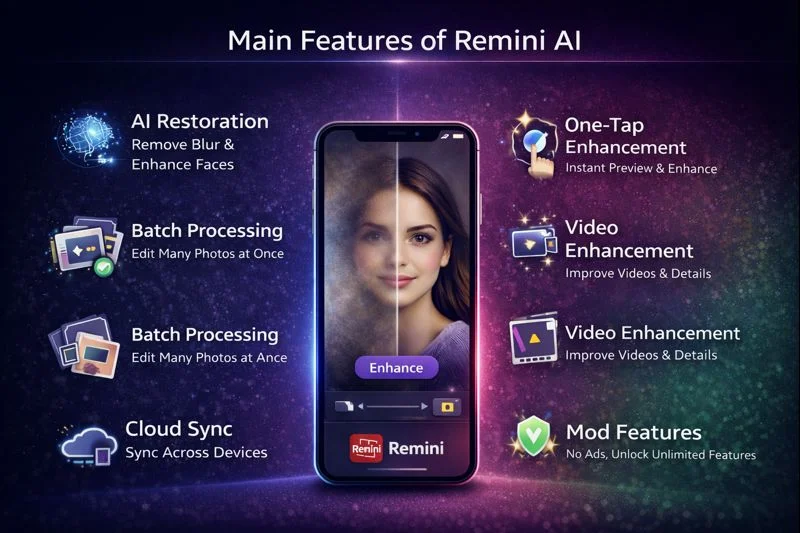
Remini is built to use artificial intelligence to bring back clarity and detail in photos that are blurry, noisy, or low resolution. It restores facial features, removes blur, and improves texture.
With Remini Pro or mod APK versions, you can use bulk processing and video enhancement, plus cloud storage to save enhanced images.
It also supports one‑tap enhancement so even beginners can improve their photos without technical skills.
You can Download: Free Remini AI MOD PK Premium Unlocked File Latest Version 2026
Main Features of Remini AI
What Is Snapseed (Manual Editing Powerhouse)
Snapseed is a full‑featured photo editor created for those who like to tweak every part of an image.
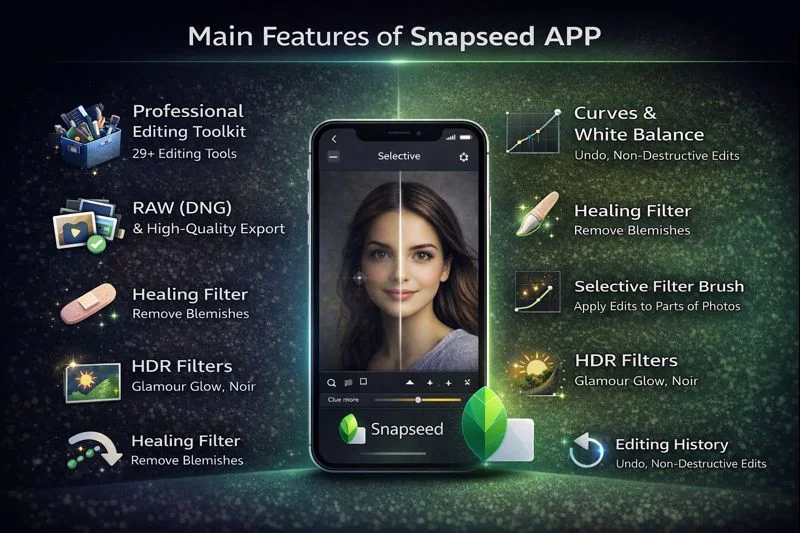
It supports RAW (DNG) files, gives tools for healing, selective edits, and curves, and allows precise control over color, structure, brightness, and details.
It offers more than 29 tools, including Tune Image, Crop, Details, Healing, and a selective filter brush. You can use it offline and export in high‑quality formats like TIFF, making it ideal for both casual creators and pros.
Read More: Remini AI Photo Enhancer vs PicsArt Photo Editing App Feature Comparison 2026
Main Features of Snapseed APP
Detailed Feature Comparison of Both Apps
| Feature | Remini AI | Snapseed |
|---|---|---|
| Enhancement Style | AI automatic restoration | Manual control with precision |
| Blur Removal | Strong blur remover via AI | Healing brush, but not automatic face‑restoration |
| Preview | One‑tap preview before/after | History view and undo, but no instant AI preview |
| Speed / Processing | Very fast enhancement with flashy processing in mod version | Quick for single adjustments, slower for complex edits |
| File Format Support | JPEG, cloud sync | RAW (DNG), TIFF, export options |
| Detail Editing | Limited structure tools | Curves, Structure, Sharpening, White Balance |
| Batch Processing | Yes | No |
| Internet Requirement | Often needed for AI processing | Works entirely offline |
| User Interface | Very simple, beginner‑friendly | More complex, designed for creators |
| Skill Level Needed | Beginner | Intermediate to advanced |
| Cost | Free + Pro / Mod version | Free |
Read More: Remini AI Photo Enhancer vs Fotor AI Feature Comparison For Best Editing
Performance, Speed, and Device Impact
When you use Remini, the AI enhancement is very fast, especially on newer devices, but on older or slower hardware the processing might take more time or require the internet.
The mod versions often have very fast performance and flashy processing, making the restoration experience feel almost instant. Because it is designed for one‑tap use, the learning curve is very low.
Snapseed, by contrast, runs fully offline and can handle large files like RAW without connectivity. Its processing speed depends more on how many edits you apply, such as curves or healing.
Using selective tools, curves, and detail brushes is smooth, but they demand more device power and some time to master. Overall, Snapseed feels powerful but requires more effort and skill.
Mod / Premium Features for Remini
Some mod APK versions of Remini remove ads, unlock unlimited pro cards, and offer unlimited enhancements. These versions improve the user experience by allowing more frequent or bulk enhancements without waiting.
In addition, these mods sometimes offer very fast “flashy processing,” making the restoration almost instantaneous and enhancing many photos in one session.
Usability and User Experience
Remini is very simple to use. You open the image, tap an enhancement tool, and see results quickly.
There is not much manual adjustment to confuse beginners. Because of that, users who do not want technical fiddling appreciate Remini very much.
Snapseed gives you control over everything. You can dive into tools such as white balance, curves, and selective brush.
The interface takes a little getting used to, because it is designed for people who want to fine-tune every detail. For creators who enjoy deep editing, Snapseed’s complexity is a strength.
Pricing and Subscription
Remini offers a free tier with limited daily enhancements. To unlock its full power, especially batch processing and high‑resolution or video enhancement, you need a paid plan or a mod APK version. Some mod versions remove restrictions entirely.
Snapseed does not require any subscription. All its tools are free, and you can download, install, and use all features without paying anything. There is no premium tier in the official version.
Pros and Cons
Pros of Remini
- Powerful AI for restoring photos automatically.
- Very good at removing blur and enhancing facial details.
- Fast enhancement with mod versions.
- Batch editing and video support in advanced versions.
- Works well for very old and low-quality photos.
- Simple and beginner-friendly interface.
Cons of Remini
- Less control for manual edits.
- Needs internet for certain features.
- Mod or Pro version may be required for full power.
- Can sometimes over-sharpen faces.
- Free version shows ads and usage limits.
Pros of Snapseed
- Professional-level editing tools.
- Full control over color, detail, and structure.
- Supports RAW and high-quality export.
- Works without internet.
- No ads and completely free to use.
- Great for photographers who want manual control.
Cons of Snapseed
- Manual tools take time to learn.
- No AI restoration for low-quality or blurry faces.
- No batch automatic enhancement.
- Not ideal for quick one-tap enhancements.
- Interface can feel complex for beginners.
When to Use Remini or Snapseed
Use Remini when you want to:
- Restore old or blurry photos quickly
- Enhance facial details or scanned prints
- Process many photos using batch mode
- Work with a simple, automatic interface
Use Snapseed when you want to:
- Manually edit exposure, color, and structure
- Work with RAW files and export high-quality images
- Make precise edits using curves, healing brush, or selective tools
- Do creative edits without a subscription
You can also use both: first run photos through Remini to restore clarity, then open them in Snapseed to fine-tune using manual tools.
Conclusion
Remini and Snapseed serve very different but complementary purposes. Remini delivers top‑tier AI restoration, helping you recover clarity in portraits and old photographs with minimal effort. Snapseed offers a deep toolbox for manual editing, RAW support, and refined control. For users who put quality first, Remini remains the favorite. For those who want full creative freedom without paying, Snapseed is invaluable. Together, they can form a powerful editing workflow.