
Remini App vs Remini Web Comparison
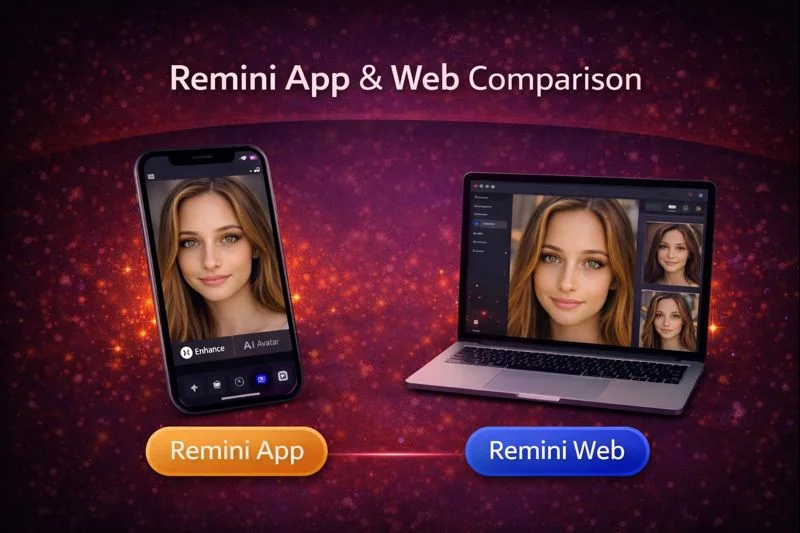
The Remini AI platform has grown a lot in 2025. Many people now use it for photo restoration, AI portraits, video enhancement, and quick everyday edits. Some prefer the Remini mobile app for its easy access and camera tools. Others like the Remini Web version because it handles large files and batch editing smoothly.
Both options use the same AI enhancement engine, but the experience is very different. Here you’ll quickly see how both versions work, so you can pick the one that feels right for your daily editing projects.
What is Remini App and Remini Web, and How to Use It?
Remini App and Remini Web both use the same AI models for sharpening photos, restoring old images, and improving video frames. The app focuses on simple everyday use while the web version feels more like a workspace for bigger or heavier projects for professionals.
People who edit on their phones usually prefer the app. Users who work on laptops or desktops often choose the web version because it offers more space and smoother uploads.
Comparison Table for Both App & Web Version
The app is more personal and everyday friendly. The web version is more technical and feels like a workspace.
| Feature | Remini App | Remini Web |
|---|---|---|
| Best for | Quick on-the-go edits, selfies, social posts | Bulk jobs, high-res files, pro workflows |
| Camera capture | Yes, built-in camera for instant edits | No, upload from computer |
| Batch processing | No, one file at a time | Yes, supports bulk upload and batch jobs |
| High resolution support | Moderate, mobile limits | Strong, handles large and 4K files |
| Video handling | Short clips, quick fixes | Longer clips, higher quality processing |
| Internet need | Medium, some features work with weaker networks | High, stable connection required |
| Sharing | One-tap share to social apps | Download then share manually |
| Storage use | Uses phone storage for downloads | Keeps files online until you download |
| Speed for heavy files | Slower on phones | Faster on desktop with good bandwidth |
| Price feeling | More budget friendly for casual users | Higher cost but built for heavy use |
| Ease of use | Very simple and mobile friendly | Simple but more workspace focused |
Similarities Between Remini App and Remini Web
Both platforms share the same enhancement quality. The tools feel familiar no matter where you use them.
1. AI Enhancement
Both versions improve blurred faces, low quality images, and old family photos with the same technology. Skin texture, colors, and small details are processed in the same way.
2. Free Trial
You can test both versions without paying. Some features need a subscription but the core enhancement tools stay available for free users with limited daily usage.
3. Easy to Use
The layout is simple on both sides. The mobile app uses a step by step design while the web version spreads everything out on a bigger screen.
4. Multiple Features
AI enhancement, color correction, noise reduction, and face repair are available in both. You can also generate AI avatars, restore old images, and create before and after comparisons.
5. Video Enhancement
Both versions support AI video improvement. The app handles short clips easily. The web version works better for long or high resolution videos.
What is the Differences Between Remini App and Remini Web?
Even though both versions work the same way, the experience changes a lot depending on your device.
Accessibility
The app works on Android and iOS. It is made for people who take many photos on their phones. The web version opens directly in a browser without needing installation.
Processing Speed
The web version is usually faster for big photos and long videos. Laptops and desktops upload heavier files smoothly. Phones take longer if the file size is large.
Simultaneous Upload
Remini Web supports batch processing. You can upload multiple photos together. The app normally works one file at a time.
Camera Feature
The app has a built-in camera so you can take a photo and enhance it right away. The web version does not offer this.
Sharing and Downloading
The app shares photos directly to WhatsApp, Instagram, Messenger, and TikTok. The web version saves files to your computer first.
Offline Access
Some features on the app work offline, like organizing your gallery. Enhancement always needs internet. The web version requires internet for everything.
Storage Usage
The app uses your mobile storage for temporary files. The web version stores everything in the browser cache or downloads folder.
Cost Effectiveness
Both versions have similar subscriptions. Users say the app feels more affordable because it offers quick access to filters and camera features. The web version feels better for people who handle many files.
Why Most People Choose the Remini App or APK? Pros and Cons
The mobile app fits people who want fast edits and simple controls. You get more creative options like AI filters, avatars, AI photos, and gender swap tools. The camera integration also saves time. It feels like a pocket editing kit you can use anywhere.
Pros of Remini App
- Portable and easy to use anywhere.
- Beginner friendly interface.
- Good for social content.
- Built-in camera for instant photos.
- Easy sharing to social platforms.
- Works smoothly on the go.
Cons of Remini App
- Limited screen space for detailed work.
- Slower for heavy files.
- Ads for free users.
- Uses phone storage.
Why People Use Remini Web?
The web version suits people who edit many photos at once. It gives more space, keyboard shortcuts, and smoother workflow. You can drag and drop photos, organize folders, and manage big file sizes without slowing down your device.
Pros of Remini Web
- Great for large projects.
- Fast for heavy images.
- Clean workspace.
- Supports batch uploading.
- Handles 4K and RAW files better.
Cons of Remini Web
- Needs constant internet connection.
- No camera capture option.
- No offline access.
- Uploads can take time on slow networks.
What is the Pricing Difference Between Remini App and Web?
Both platforms offer similar premium plans. Subscriptions unlock unlimited enhancements, HD downloads, and advanced AI tools. Web and app subscriptions do not always sync in every region so some users need to buy them separately. Always check local pricing first.
How to Use the Remini App
- Download the app from Play Store or App Store
- Install and follow the quick setup
- Upload a photo from your gallery
- Choose the enhancement type
- Tap to process and save
How to Use Remini Web
- Open the Remini website in your browser
- Sign in
- Upload photos or drag and drop
- Choose enhancement
- Save the final file to your computer
User Reviews from Social Media
There are mixed user experiences and user sharing that the Remini app feels perfect for quick daily edits and social media posts, but the web version becomes more helpful when handling older family albums and long videos. They said both versions give strong results but the web version feels more stable for professional work.
Conclusion
Remini App and Remini Web share the same AI but serve different types of users. The app is the best choice for simple edits, selfies, and fast sharing. The web version is better for bigger projects, cleaner workflows, and high resolution processing. Both versions help restore memories and improve image quality in a few seconds with the same enhancement engine. Pick the one that fits your editing style and your device.