
Remini AI vs VSCO App Amazing Features Comparison
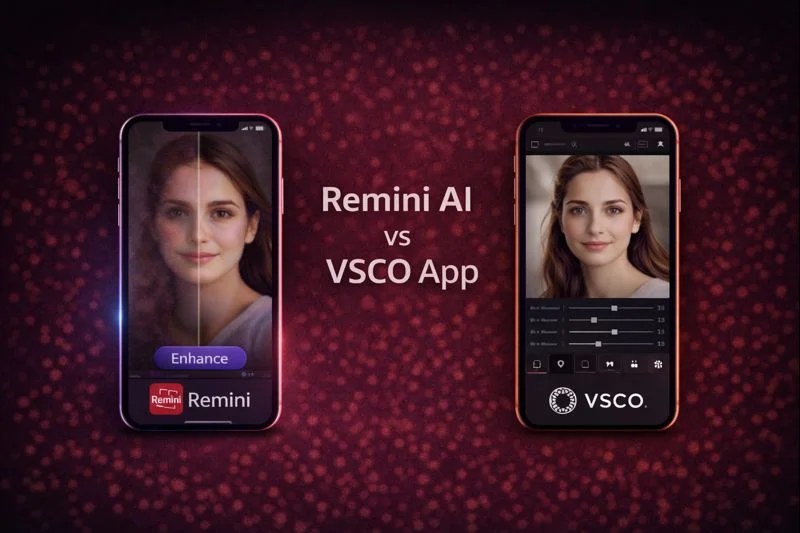
When people compare Remini and VSCO, they want to know which one actually delivers clearer photos, smoother skin tone, better lighting, and an overall enhanced look without spending too much time editing.
Remini AI focuses on AI enhancement and real photo restoration while VSCO is more about creative filters and manual editing.
Both apps have huge communities, millions of users, and strong mobile tools, so choosing one depends on what kind of results you want.
This article breaks down their features, accuracy, styles, device support, user experience, and Play Store stats so you can decide confidently.
Read More: Remini AI Free APK vs YouCam Enhance APP Feature Comparison
Basic Features Comparison
Main Features of Both APPs
| Feature | Remini AI | VSCO APP |
|---|---|---|
| AI auto enhancement | Yes | Moderate |
| Manual editing tools | Limited | Strong |
| Filters library | Small | Large |
| Video enhancement | Yes | No |
| Portrait restoration | Strong | Weak |
| Web version | Yes | No |
| Device support | Android, iOS, Web | Android, iOS |
Remini Compared to VSCO in Real Quality Enhancement
Remini AI
Remini uses deep AI enhancement to fix blurred, noisy, low-light, and old photos. Its tools focus on clarity, skin texture recovery, color smoothing, sharpening, and upscaling. It works well for portraits, group photos, landscapes, and even old scanned pictures.
VSCO APP
VSCO is more like a creative editor for people who enjoy aesthetic filters, color grading, exposure control, and stylizing their photos. It does not restore details that do not exist in the image. VSCO requires manual adjustments, so beginners may need time to learn.
Play Store Stats Comparison
| Detail | Value |
|---|---|
| Rating | 4.4 |
| Reviews | 5.58M |
| Downloads | 500M+ |
| Age rating | Rated for 3+ |
| Developer | Bending Spoons |
| Detail | Value |
|---|---|
| Rating | 4.1 |
| Reviews | 1.33M |
| Downloads | 100M+ |
| Age rating | Rated for 12+ |
| Developer | VSCO |
These stats show that Remini has far higher usage and a stronger enhancement reputation.
Enhancement strength
| Enhancement Type | Remini | VSCO |
|---|---|---|
| Portrait clarity | Excellent | Attractive |
| Skin tone fix | Strong | Moderate |
| Old photo repair | Very strong | Weak |
| Noise reduction | High | Low |
| Upscaling | Yes | No |
| Creative filters | Limited | Very strong |
Editing Tools and User Experience
Remini’s interface is simple with one-tap enhancement. It is designed for fast corrections, not long editing sessions.
This makes it suitable for social media users, business owners, influencers, and anyone who wants quick polished results.
VSCO gives a full editing panel. Users can adjust highlight tone, grain, temperature, saturation, and HSL.
The editing flows like a professional photo editor but does not improve clarity beyond the original photo’s quality.
Platform Support and Language Availability
Based on verified official sources:
Remini
VSCO
Who These Apps are Best for?
Remini suits users who want clear photos with minimal effort. People restoring old images, improving low-light selfies, preparing product photos, or cleaning blurry shots find it extremely effective.
VSCO suits creative users who like stylized filters and want artistic control. It is good for color grading, mood creation, and aesthetic visuals but not restoration.
Remini Mod APK Benefits
The Remini Mod APK usually provides unlocked Pro and premium features. These may include unlimited HD enhancement, full AI tools, batch processing, and access to all filters without subscription.
It also includes video enhancement unlocked. Users should download APKs from trusted sources and understand that modified versions come with security risks.
Additional useful comparisons
Supported Media Formats
| Format | Remini | VSCO |
|---|---|---|
| Photos | Yes | Yes |
| Videos | Yes | Yes |
| RAW files | Limited | Yes |
| Old image repair | Yes | No |
User Groups Supported
VSCO officially supports small businesses, mid-size businesses, enterprise, nonprofit, freelancers, and startups.
Remini supports general consumers, professionals, designers, and anyone needing quick AI enhancements.
Which App Wins Based on Facts and User Experience?
Based on clarity, restoration strength, AI performance, Play Store stats, and real user results, Remini wins in overall enhancement power.
It delivers clearer portraits, more accurate skin retouching, better detail recovery, and offers both mobile and web access.
VSCO still wins for creative editing and filter aesthetics but does not match Remini’s restoration strength.
So for pure quality improvement, Remini is the stronger choice. For artistic editing, VSCO remains popular.
Conclusion
Remini and VSCO are the famous photo and video editing apps, each solve different needs. Remini focuses on AI clarity restoration with support for photos and videos, while VSCO offers deep manual editing and creative filters. After comparing features, stats, user experiences, and enhancement depth, Remini stands out as the better option for users who want polished and sharper results fast. This guide helps you pick the right tool depending on whether you want accurate enhancement or creative styling.