
How to Use Remini Mod APK on Android, iPhone, and PC
You just installed the Remini Mod APK and wondering how to start? No need to worry. The Remini app is very easy to use and helps you change old or unclear photos into bright, clear ones. It can also make your short videos look sharper in just a few seconds, works fast and gives clear, detailed results that look almost new.
It is not important to be a photo expert to use Remini. Everything is simple and easy to follow, even for beginners. Follow these steps in a clear way, and get the best results from its photo and video enhancement tools without any confusion.
When You Open Remini for the First Time?
The first screen feels straightforward. You’ll see a few tabs, Photos, Videos, and AI Tools. Tap on Photos if you want to enhance images. The app will ask for permission to access your gallery. Allow it so you can pick pictures directly from your phone.
If you’re using the Mod version, you may notice some premium tools already unlocked. No need to log in or buy credits. Still, it’s a good idea to keep your internet on for the app to process faster.
How to Enhance Photos Using Remini?
- Open Remini and tap on Enhance Photo.
- Choose any old or blurry photo from your phone.
- Wait a few seconds while Remini’s AI works in the background.
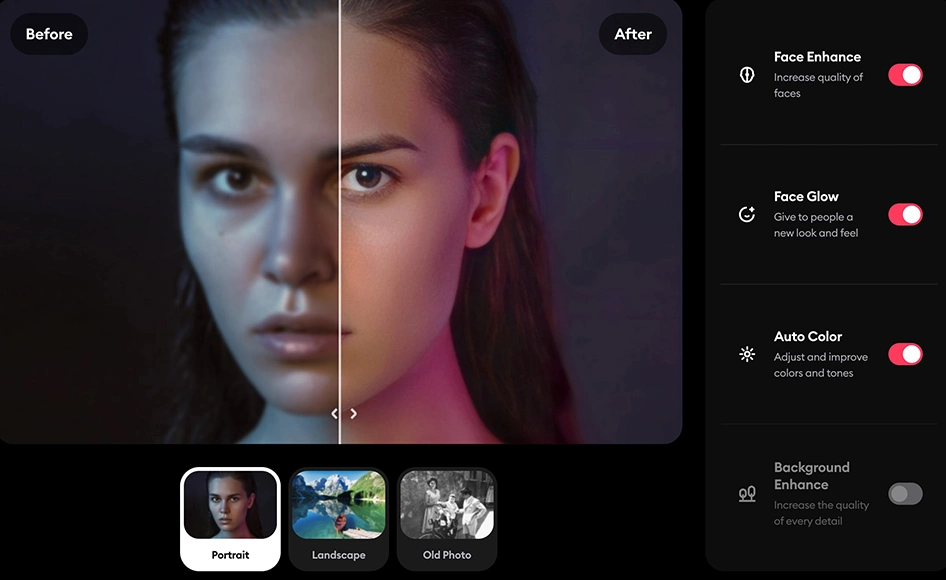
After it’s done, you’ll see a slider, drag it left and right to compare before and after. You’ll notice the face and background look sharper, colors are cleaner, and overall detail improves a lot.
You can also use small edits like brightness, contrast, and crop options. These are simple, so you don’t need editing skills to use them.
How to Edit Videos in Remini Mod APK?
Remini Mod APK also helps improve short videos the same way it restores old photos. It can fix blurry clips, adjust lighting, and make motion look smoother without losing quality. You can upload clips up to around 60 MB for editing, which is enough for short reels or social videos. The process is quick and beginner-friendly.
Steps to enhance videos in Remini:
- Open Remini Mod APK and tap on the Video Enhance option.
- Choose a video from your gallery that you want to improve.
- Tap Enhance and wait while the app processes your clip.
- Preview the result, then save or share the enhanced video.
Creating AI Photos or Avatars
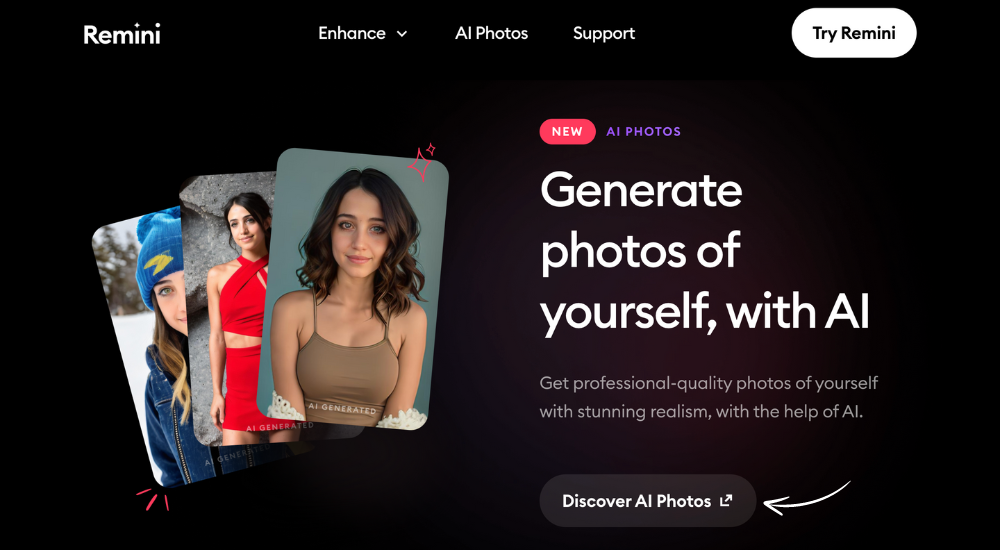
Remini’s newer versions have a fun feature for AI-generated photos. You can create your own avatar or professional-style portraits using your selfies.
- Tap AI Photos or AI Avatar on the home screen.
- Upload a few of your clear selfies.
- Choose the theme or look you want (professional, fantasy, vintage, etc.).
- Let the app process your pictures, this might take a few minutes.
Once it’s ready, you can save or share your AI photos right away.
If the output doesn’t look right, try uploading better-lit photos. You can also retrain the AI by redoing the setup with different selfies to improve accuracy.
Is Remini Mod APK Completely Free?
Remini offers both free and paid options. In the free plan, you can enhance a few photos daily, but it includes ads and limited tools.
The Pro version or Remini Mod APK removes ads and unlocks all features like AI avatars, batch processing, and HD exports. So yes, it’s free to try, but full access requires the premium or modded version.
Using Remini Mod APK for Free
One big reason people prefer the Mod version is to use premium filters without paying. You can access most features without ads or daily limits. Still, make sure you’re using a safe, verified file and always scan the APK with VirusTotal before installing.
Avoid logging in with your main Google or Apple ID in modded apps. It’s safer to use it without linking accounts.
What Is the Remini Limit?
In the standard version, users can only enhance a limited number of photos per day, usually three to five, depending on the app update. After that, you’ll need to wait for the next day or upgrade to the Pro plan.
The Mod APK version removes these limits, allowing you to edit and enhance as many images or videos as you want.
How to Remove Watermark from Remini App?
The free version of Remini adds a small watermark to the enhanced images. To remove it, you can either subscribe to Remini Pro or use the Remini Mod APK, which automatically saves photos without watermarks. This gives your results a clean, professional look ready for printing or posting online.
Who Can Use Remini App?
Remini works on almost all Android and iOS devices. You can also use it on PC or Mac through emulators like BlueStacks if you prefer editing on a bigger screen.
The app is useful for photographers, students, designers, and freelancers or anyone who wants to clean up old photos. Even if you don’t know how to edit, Remini does most of the work automatically.
Pro Tips for Better Results
- Use photos with decent lighting, AI works better that way.
- Try not to upload screenshots or cropped images; originals process more clearly.
- Keep your internet connection stable while enhancing it.
- Always save both the original and the enhanced photo in case you want to re-edit later.
Why Can’t I Use the Remini App?
If Remini isn’t opening or stops working, it’s often due to storage issues, network errors, or outdated versions. Try clearing the app’s cache, updating it from the Play Store, or reinstalling the latest APK file on this website.
If you’re using the Mod version, make sure it’s compatible with your device’s current Android version. Check all versions of Remini mod apk here.
Conclusion
Remini Mod APK makes photo and video enhancement simple for everyone. You just open the app, give it access to your photos, and start improving your images with a few taps. It helps remove blur, fix old memories, and even sharpen videos in seconds.
The free version has limits and adds watermarks, while the Mod APK unlocks all premium tools without restrictions. Beginners can easily understand its options, and the results look clear and natural. Just make sure to download it safely from a trusted source to keep your device secure. With Remini, turning low-quality pictures into bright, detailed memories is quick and effortless.