
How to Use Remini AI Ageing Filter to See Your Future Face

Curious what you might look like in 20 or 50 years? The Remini AI Ageing Filter is a quick way to see a natural version of your future face. It feels like a pocket time machine.
People use it for fun, for social posts, or to plan lifestyle changes. This guide explains what the feature does, how it works, how to get believable results, and what to keep in mind about privacy and use.
What is the Remini Ageing Feature?
The ageing feature lives inside Remini’s AI Photos tools. It uses a trained model to simulate natural aging. The tool changes skin texture, adds subtle wrinkles, adjusts facial volume, and shifts hair tone toward grey.
The result aims to look like a real, lived in face rather than a heavy filter. Remini builds this on the same technology used for its photo and video enhancers.
What Users Say About Remini Ageing Feature?
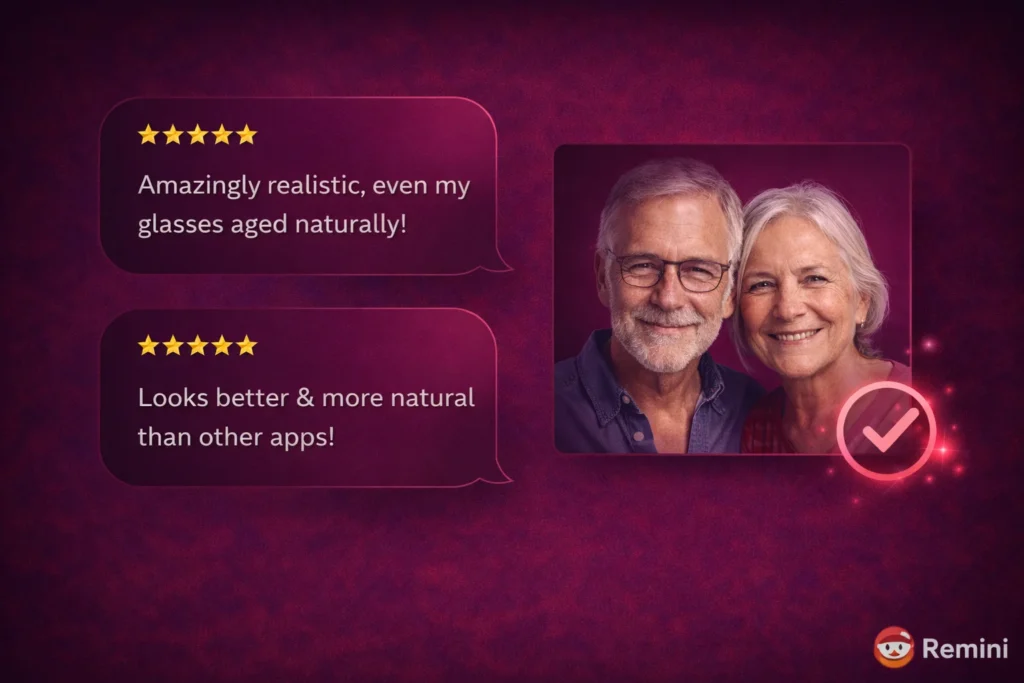
On forums users praise the realism and the way small features like glasses remain intact. Some mention that low quality inputs limit the realism.
Users also compare Remini favorably to other apps for how natural the age progression looks. These voices reflect the app’s focus on subtle, camera friendly results. Reddit
What Makes Remini’s Aging Filter Different?
Most old filters only layer on wrinkles and grey hair. Remini maps facial landmarks. Then it changes bone and soft tissue cues. That makes brow lines, cheek shape, and jawline age in a believable way.
The model also respects lighting and accessories. If you wear glasses, the glasses remain in place and age with you.
This blend of structure and texture is why many people find the results more realistic than other apps. Independent lists and comparisons show Remini ranks high on realism for 2025.
Wrinkles, Grey Hair, Skin and Facial Shape
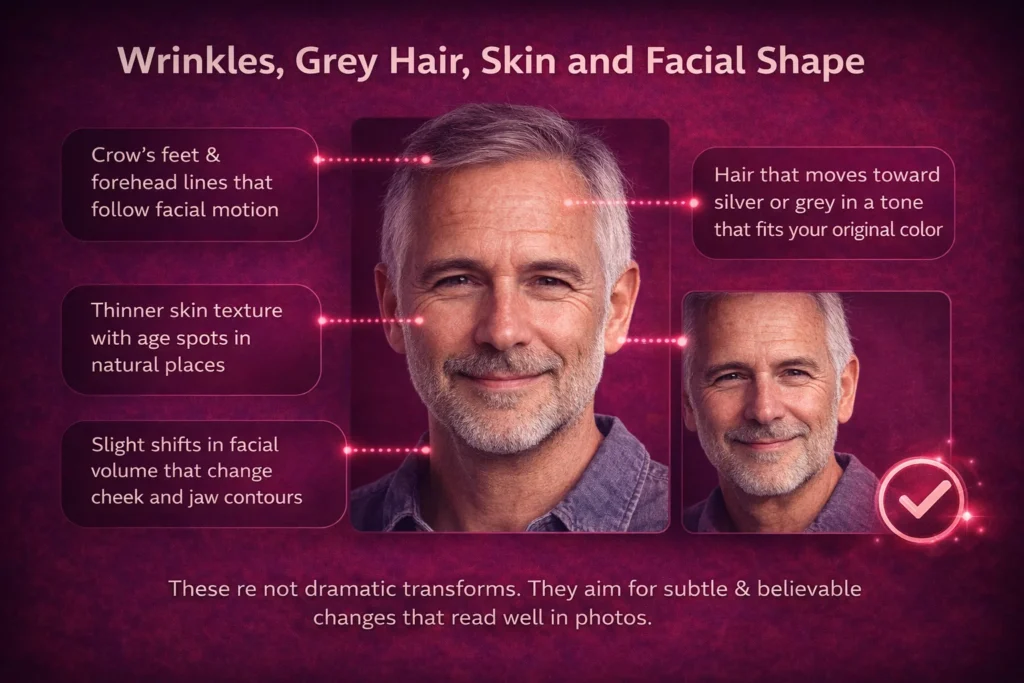
Here are the common changes the filter creates:
These are not dramatic transforms. They aim for subtle and believable changes that read well in photos.
A Quick Step by Step Guide
Follow these simple steps for the best result:
- Install or update Remini so you have the latest version.
- Open the app and go to AI Photos. Look for the Ageing or Time Travel tab.
- Choose a well lit headshot. A straight on photo works best.
- Pick a future year. Try +10, +20, and +40 for comparison.
- Tap Generate and wait for the image. Processing is fast because Remini uses cloud GPUs.
- Save or share the image if you like it.
Tip: neutral expression helps the algorithm place natural lines. Avoid heavy makeup and dramatic smiles for the most believable result.
Feature Highlights You Will Notice
Expect these subtle improvements:
These details help the image feel like a photo from the future rather than an obvious edit.
Tips for the Most Believable Results
Small changes in photo choice lead to much better results.
Privacy and Ethical Considerations
Remini processes images on its cloud servers and keeps them only briefly for enhancement and generation. The company states that uploaded media and enhanced images are deleted within a short retention window.
You can also manage or delete your AI profile from settings if you want to remove training data. If you work with images of minors or identity documents, think twice before uploading.
If you use modded or unofficial app builds that bypass official controls, you may risk privacy and security. For safe use stick to the official app from the Play Store or App Store.
Creative Ways to Use the Ageing Filter
Use the images with care and respect.
Is the Remini AI Ageing Filter Free or Paid?
Many users ask this before trying the feature.
Remini offers the ageing filter in both free and paid plans, but with limits. Free users can test the feature with basic access, watermarks, or usage caps. Advanced controls, faster processing, and higher-quality results are usually part of the Remini Pro plan.
If you only want to explore how the ageing effect looks, the free version is enough. For regular use or content creation, the Remini Pro Unlocked Mod APK gives a smoother experience.
Comparison Table
| Feature | Remini AI Ageing Filter | Basic Age Filters |
|---|---|---|
| Aging method | AI-based facial structure and texture changes | Simple wrinkle and grey hair overlays |
| Facial realism | High, with natural skin and volume shifts | Often flat or exaggerated |
| Glasses & accessories | Preserved and aged naturally | Usually distorted or removed |
| Lighting awareness | Adjusts to original lighting | Ignores lighting conditions |
| Best use case | Realistic future face preview | Fun or cartoon-style edits |
Supported Devices and Compatibility
The Remini AI ageing feature works on most modern devices.
For best results, use a device with stable internet, since ageing images are processed on Remini’s cloud servers. Older phones can still run the feature, but generation may take longer.
Common Problems and How to Fix Them
Sometimes results may not look as expected. These quick fixes help.
Aged photo looks unrealistic
Use a clearer image with good lighting. Avoid blur, filters, or heavy makeup.
Processing takes too long
This usually happens during peak hours or on slow internet. Try again later or switch networks.
Generation fails or stops
Restart the app and check for updates. Older versions may not support the latest AI model.
Wrinkles look uneven
Use a neutral expression. Big smiles can confuse facial mapping.
Most issues come from image quality, not the feature itself.
Pros and Cons
Pros
- Realistic results that feel natural.
- Quick and easy to use.
- Works for both men and women.
- Useful for content creation and planning.
Cons
- Results depend heavily on image quality.
- Very dramatic edits can look less believable.
- Avoid using children’s photos without consent.
Accuracy and Limitations You Should Know
The ageing filter shows a visual prediction, not a medical or genetic forecast.
Results are based on facial structure, lighting, and AI patterns. Lifestyle, health, and genetics cannot be fully predicted by any app.
Think of it as a creative and realistic simulation, not a guaranteed look of your future self.
Keeping expectations realistic improves satisfaction.
Conclusion
Remini’s ageing filter gives a gentle, realistic glimpse into the future. It is a great tool for creative content and personal reflection. Use a clean, well lit photo and try a few age steps for the best results. Keep privacy in mind and use the official app to stay safe. If you want a fun, believable time capsule image, this filter is one of the best choices in 2025.